RankMath SEO插件导致TAG页面无法收录的解决办法

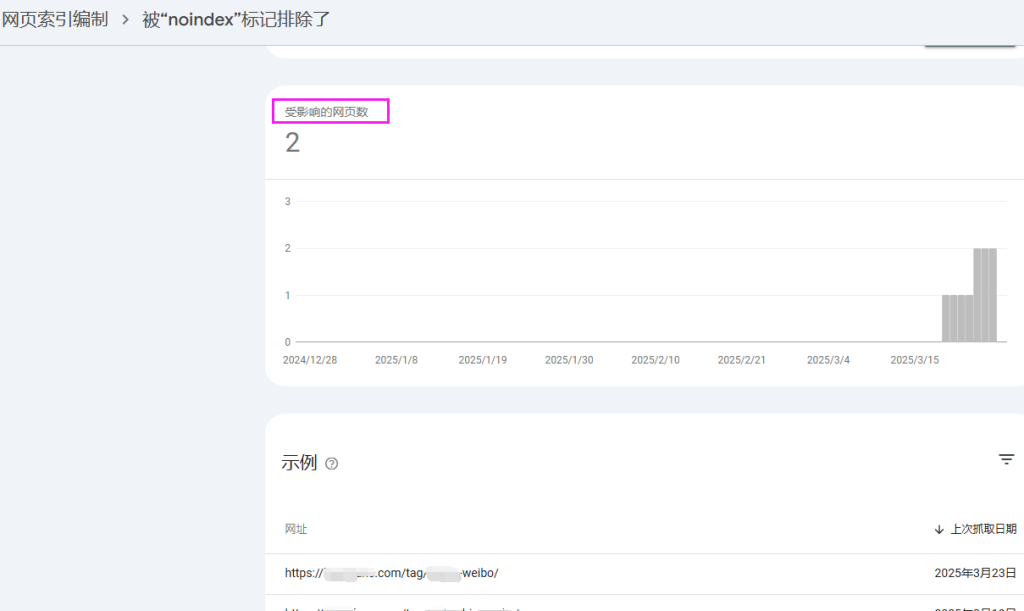
1、GSC报错

RankMath SEO插件导致TAG页面无法收录的解决办法

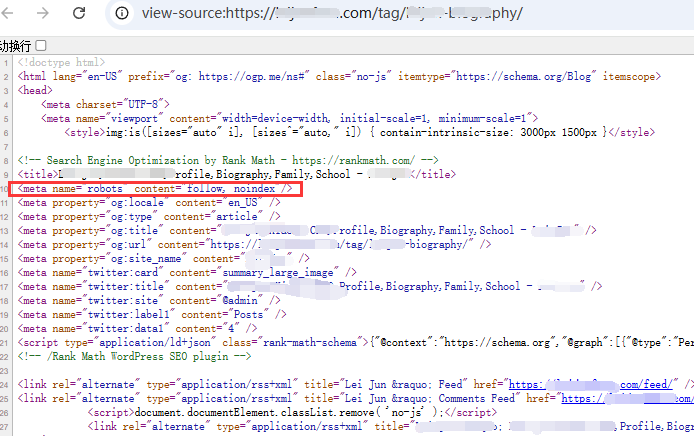
2、看了受影响的页面,果然!

RankMath SEO插件导致TAG页面无法收录的解决办法

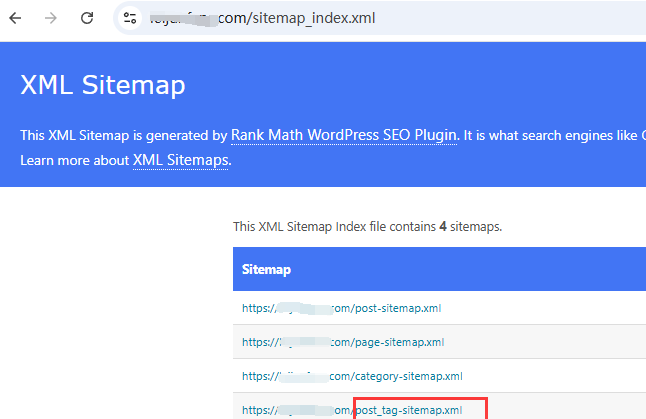
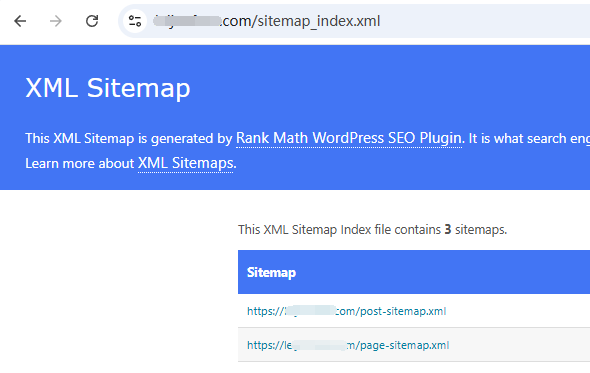
3、再去看RankMathSEO插件生成的sitemap,有post,page,category,但是也没有tag,那就是插件本身并没有开启收录tag页面。
RankMath SEO插件导致TAG页面无法收录的解决办法

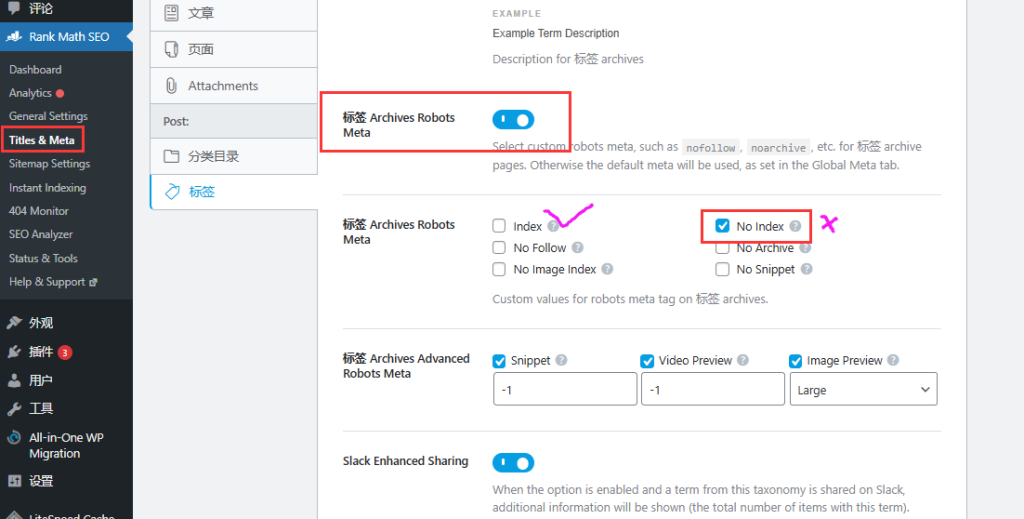
RankMath SEO插件解决tag页面正常收录的解决办法1、RankMath SEO-post-tag-tag archives robots meta-去掉no index 选择index,这样tag页面才正常收录。
RankMath SEO插件导致TAG页面无法收录的解决办法

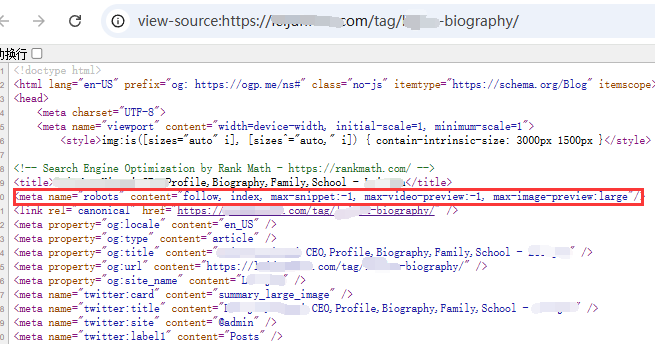
2、检查一下tag页面的前端代码,meta标签已显示正常:

RankMath SEO插件导致TAG页面无法收录的解决办法

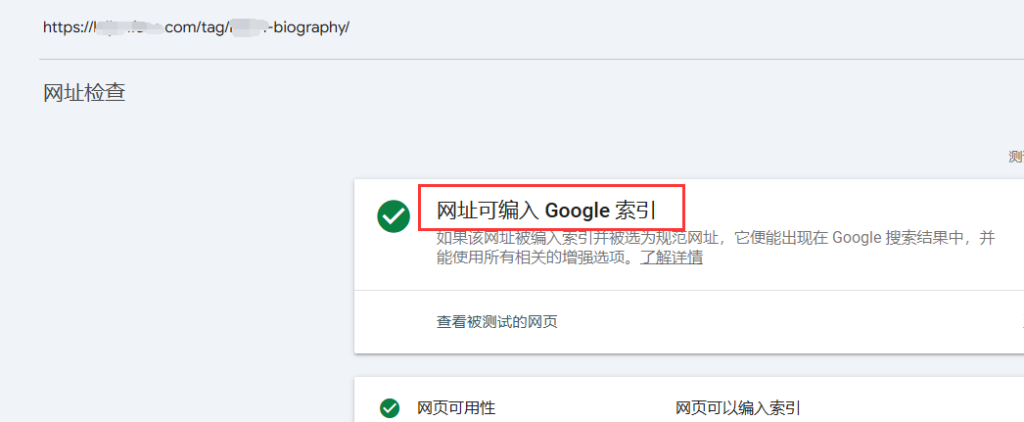
3、GSC再测试一下,已经可以成功抓取:

RankMath SEO插件导致TAG页面无法收录的解决办法

接下来解决sitemap的问题
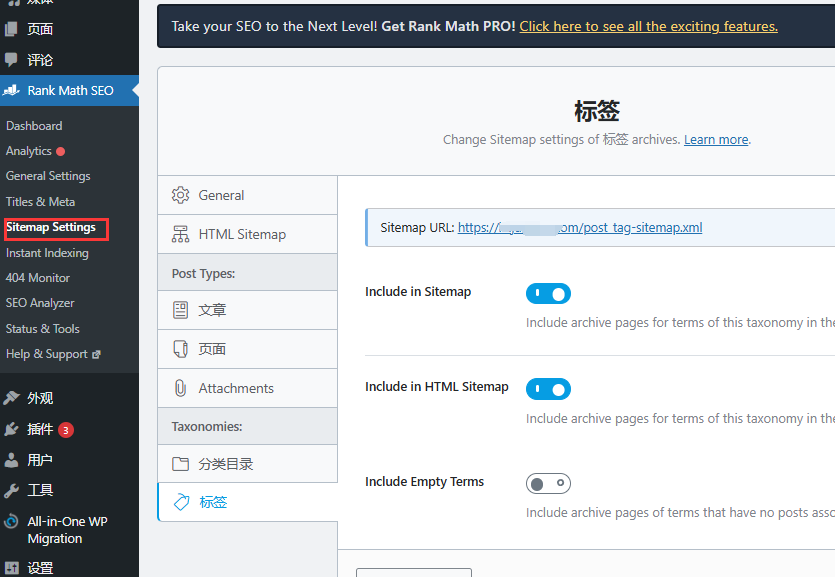
1、RankMath SEO-sitemap settings-开启include sitemap
RankMath SEO插件导致TAG页面无法收录的解决办法

2、查看一下站点sitemap,tag链接已存在:

RankMath SEO插件导致TAG页面无法收录的解决办法

下面就等着抓取了

主题测试文章,只做测试使用。发布者:zhaolou,转转请注明出处:https://www.zhaolou.cc/archives/4427

(0)
zhaolou's avatarzhaolou
上一篇 2025年4月10日 下午9:11
下一篇 2025年4月13日 下午9:11

相关推荐

  • 2025 最新对比:Blocksy Pro、Kadence、Astra 功能+价格+性能全解析!

    总体结论: Blocksy Pro = 视觉表现最强 + 功能集最多 + 动效细腻Kadence = 轻便易用 + 电商友好 + 性能均衡Astra = 性能最优 + 生态强大 + 适合SEO和内容站 01. 功能模块对比功能模块Blocksy ProKadenceAstraHeader/Footer Builder✅ 拖拽+动态显示逻辑✅ 拖拽+条件逻辑支…

    外贸 2025年7月6日
    2.6K00
  • wordpress 进行文章列表分页

    把以下代码放入:functions.php function lingfeng_pagenavi( $range = 4 ) { global $paged,$wp_query; if ( !$max_page ) { $max_page = $wp_query->max_num_pages; } if( $max_page >1 ) { ech…

    外贸 2025年3月22日
    1.5K00
  • 常用的Rank Math SEO 中英文对照

    Basic SEO Add Focus Keyword to the SEO title.Add Focus Keyword to your SEO Meta Description.Use Focus Keyword in the URL.Use Focus Keyword at the beginning of your content.Use Focu…

    google seo 2025年9月10日
    1.5K00
  • wordpress和shopify的详细区别

    wordPress 和 Shopify 是目前最流行的两大建站平台之一,尤其适用于电商、内容型网站或个人博客。它们各有优势,适合不同需求。 下面我们从功能、适用人群、价格、扩展性、操作难度等方面,来详细比较一下两者的区别。 一、基本定义 🧩 WordPress 👉 重点讨论 WordPress.org,是大多数建站者首选。 🛒 Shopify 二、核心定位区…

    外贸 2025年4月8日
    1.7K00
  • wordpress获取分类下文章列表四种方法

    1、使用query_posts()函数以下代码实际上使用query_posts()函数调取分类目录下的文章,showposts是调取的数量。 <?php $cats = get_categories(); foreach ( $cats as $cat ) { query_posts( ‘showposts=10&cat=’ . $cat-&g…

    外贸 2025年3月22日
    1.5K00

发表回复

您的邮箱地址不会被公开。 必填项已用 * 标注

联系我们

在线咨询: QQ交谈

邮件:156738051@qq.com

工作时间:周一至周五,9:00-18:00,节假日休息

关注微信